


- Meshtastic lets you send texts & GPS locations with no cell service — for free, forever.
- MeshCore is a newer, faster rival that runs on the same hardware.
- The M5Stack Cardputer Mesh Kit (just launched, $48) is the coolest entry point yet.
- A basic two-node setup costs under $100 and requires zero license to operate.
What if you could send a text message to your hiking partner five miles away, share your GPS coordinates in real time, and do all of it with zero cell towers, zero internet, and zero monthly fees — using a device smaller than a deck of cards?
That’s not science fiction. It’s Meshtastic — and in 2026, it’s no longer just a niche hobbyist experiment. It’s become one of the most exciting tools in the off-grid communicator’s arsenal, and a brand-new $48 device just made it more accessible than ever.
Whether you’re a seasoned ham operator looking to add a data layer to your kit, a prepper building out a neighborhood emergency mesh, or just someone who gets annoyed when their texts don’t deliver in the backcountry — this technology is worth your attention right now.
What Is Meshtastic, and Why Should You Care?
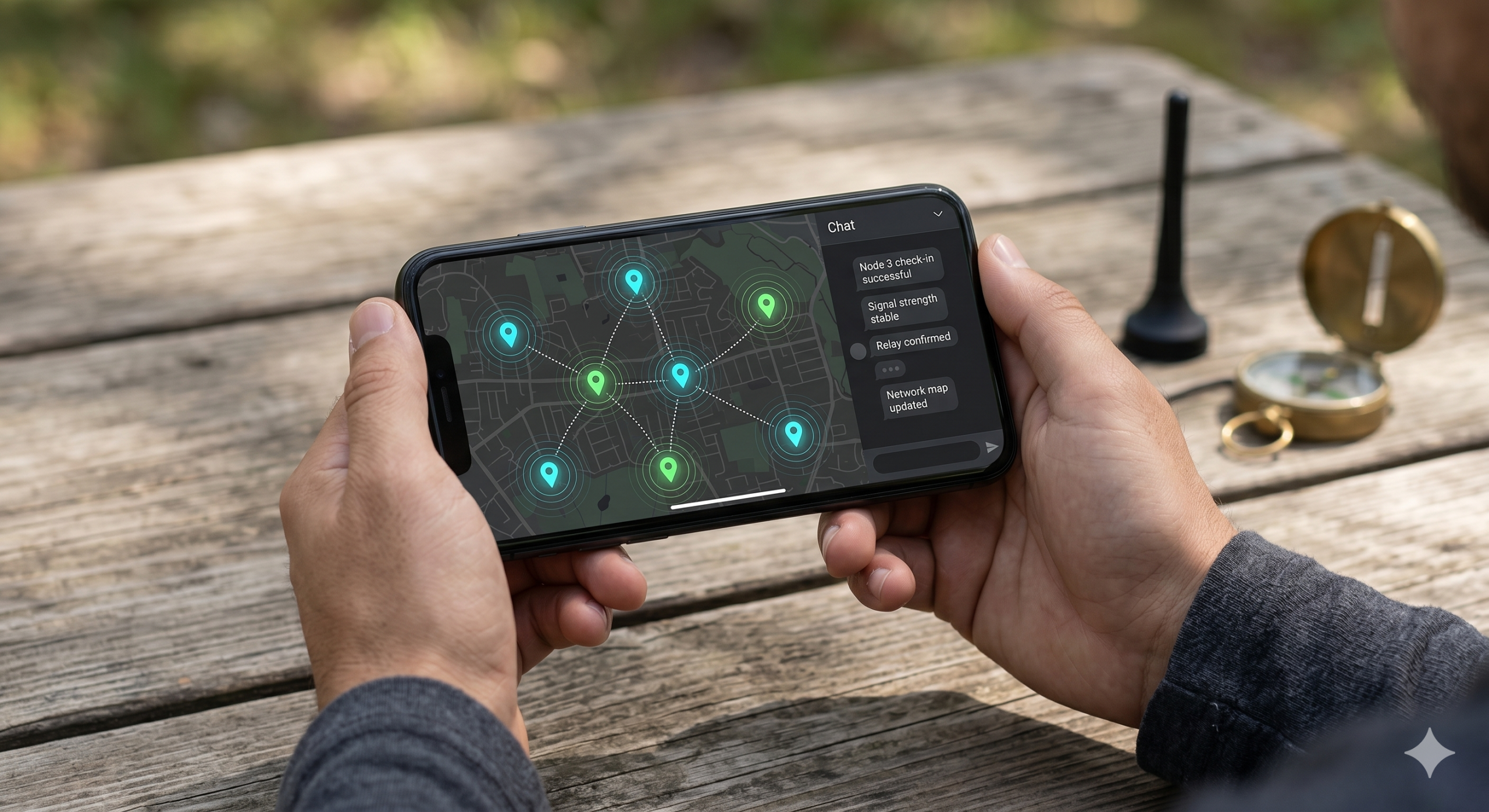
Meshtastic is open-source firmware that you flash onto a small, inexpensive LoRa radio module. Once it’s running, your device joins a decentralized mesh network — a system where every node can relay messages for every other node, automatically and without any central server managing it all.
Think of it like a giant game of telephone, except it’s encrypted, it knows your GPS coordinates, and it works from a remote canyon in New Mexico just as well as it works from your neighborhood block.
LoRa stands for Long Range. It’s a radio modulation technology that sacrifices data speed for extraordinary range and incredibly low power draw. A LoRa node running on a small battery can transmit a message several miles with line-of-sight — and it can run for days or even weeks on a single charge. It operates in unlicensed ISM bands (915 MHz in the US), meaning no ham license required to use Meshtastic.
Here’s what Meshtastic can do right now, out of the box:
- Send encrypted text messages peer-to-peer or in group channels
- Share real-time GPS positions across the mesh
- Relay telemetry data — battery levels, temperature, altitude
- Bridge to the internet via MQTT when a node has WiFi
- Connect to your phone over Bluetooth via the free iOS/Android app
- Operate completely standalone — no phone needed at all
The numbers tell the story: as of early 2026, Meshtastic has surpassed 40,000 GitHub stars, hosts a subreddit with over 80,000 members, and has active nodes in hundreds of cities worldwide. This isn’t a proof-of-concept anymore — there are established mesh networks you can plug into today in most major US cities.
Who Is This Actually For?
Great question — and the honest answer is: a lot more people than you might think. Here are the groups most drawn to Meshtastic right now:
How Does the Mesh Actually Work?
Here’s the core concept — and it’s surprisingly elegant once it clicks.
When you send a message from your Meshtastic node, the message is broadcast over LoRa radio. Any other Meshtastic node that hears it will automatically rebroadcast it — forwarding it further across the mesh. This process continues hop by hop (up to 7 hops by default) until the message reaches its destination.
The practical implication: every device in the network doubles as infrastructure. Your device isn’t just a radio — it’s a relay that makes the network better for everyone around you. You don’t have to do anything special. It just happens.
What’s the range between nodes? In real-world conditions, expect:
| Environment | Typical Range |
|---|---|
| Dense urban (buildings everywhere) | 0.5 – 1.5 km |
| Suburban / mixed | 1 – 5 km |
| Rural / open terrain | 5 – 15 km |
| Mountain top / high gain antenna | 30 – 100+ km |
Chain several nodes together with repeaters on hilltops or rooftops, and you’ve got coverage across a region — no towers required.
The New Device That’s Turning Heads: M5Stack Cardputer Mesh Kit
Here’s where things get exciting for 2026. On April 30th, M5Stack dropped something that’s been getting a lot of attention in the Meshtastic community: the Cardputer Mesh Kit.
M5Stack Cardputer Mesh Kit
A fully self-contained, card-sized Meshtastic terminal with a physical keyboard, GPS, and LoRa radio — pre-flashed and ready to go out of the box.
No soldering. No CLI. No nonsense. Just flash (or don’t — it already is) and start meshing.
$48.00This thing is remarkable for what it packs into a form factor smaller than a large smartphone. Here’s what you’re getting:
| Spec | Detail |
|---|---|
| Processor | ESP32-S3 dual-core at up to 240 MHz — the same chip family powering serious LoRa nodes |
| LoRa Radio | Semtech SX1262 transceiver via the CapLoRa-1262 expansion module |
| GPS | AT6668 GNSS module — real position tracking, baked right in |
| Display | 1.14-inch IPS LCD (240×135) — small but totally usable |
| Keyboard | 56-key physical keyboard with updated 160gf actuation force (lighter than original) |
| Battery | 1,750 mAh Li-ion built in — a meaningful upgrade over the previous generation |
| Wireless | WiFi 4 + Bluetooth 5.0 BLE for phone pairing or MQTT bridging |
| Firmware | Pre-flashed with Meshtastic — also flashable via browser with Meshtastic Web Flasher |
| Extras | MicroSD slot, speaker, MEMS mic, 3.5mm audio jack, IR transmitter, built-in magnet |
| Price | $48 via M5Stack store or AliExpress |
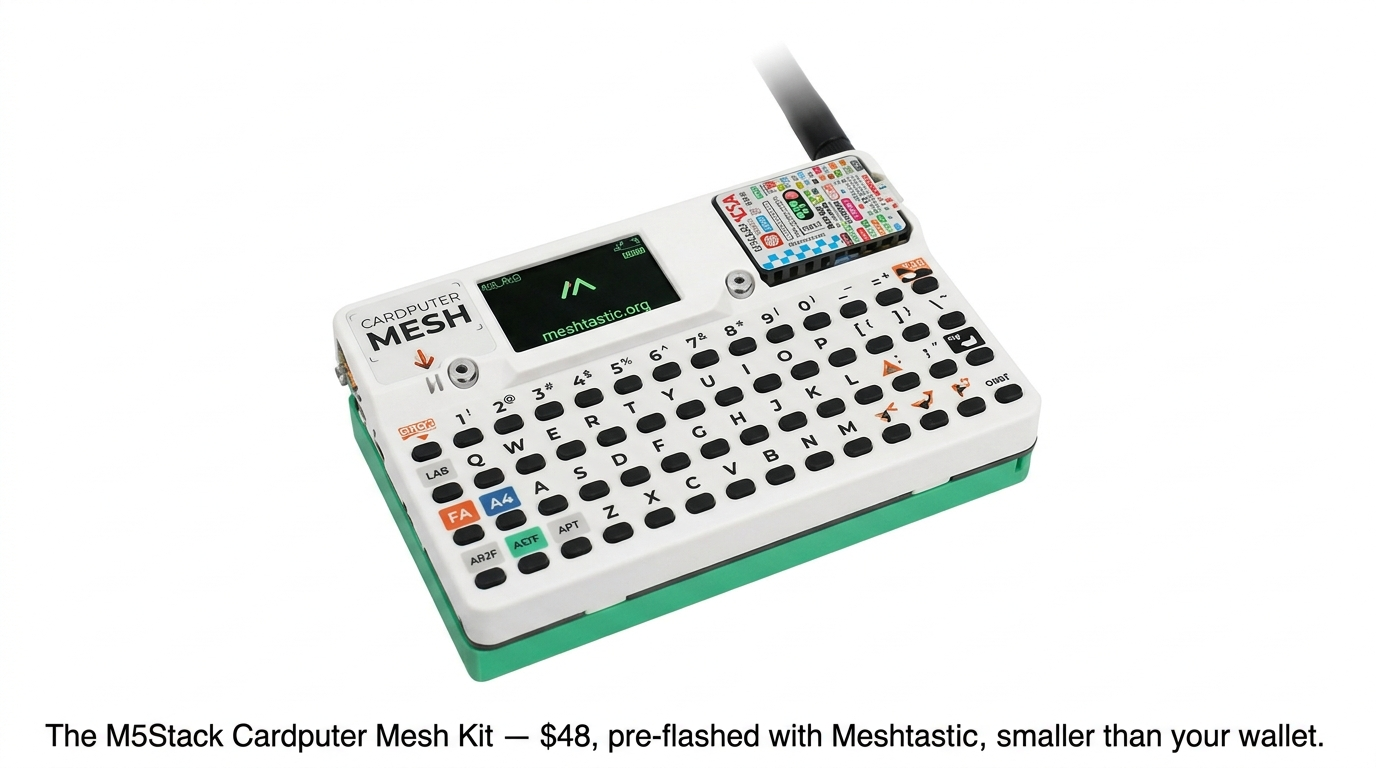
What makes this significant isn’t just the specs — it’s the concept. Previous entry-level Meshtastic setups required you to buy a raw development board, connect it to your phone, and use the phone’s screen to type. The Cardputer gives you a standalone terminal: type messages directly on the device, see responses on the screen, no phone required.
For go-bag builds, vehicle kits, or anyone who wants a grab-and-go mesh communicator that doesn’t depend on their smartphone battery — this is a legitimate game changer at a price point that’s hard to argue with.
The Cardputer Mesh Kit ships with open access for custom development — flash it with Arduino IDE, ESP-IDF, or M5Stack’s own UiFlow2. RadioLib and TinyGPSPlus libraries are already included. This is not a closed appliance — it’s a development platform that happens to ship ready to use.
Wait — What’s MeshCore? (And Is It Better?)
If you’ve been spending time in Meshtastic forums lately, you’ve probably heard the name MeshCore coming up more and more. It launched in late 2025 as a fundamentally different take on the same problem: how do you build an off-grid mesh network using LoRa hardware?
Here’s the key thing to understand: MeshCore runs on the exact same hardware as Meshtastic. You’re not buying a different radio — you’re choosing a different firmware. You can flash a device to Meshtastic today and MeshCore tomorrow. That makes this a low-risk comparison to make.
The Core Difference: How Messages Move
Meshtastic uses what’s called managed flood routing. When you send a message, every nearby node picks it up and rebroadcasts it. This is great for ad-hoc groups where people are moving around — coverage shifts organically with the people. The downside is radio congestion: every device is chewing through airtime on behalf of everyone else on the network.
MeshCore takes the opposite approach. It divides the network into two strict roles:
- Companions — the device you carry. It sends and receives, but does not relay traffic for others.
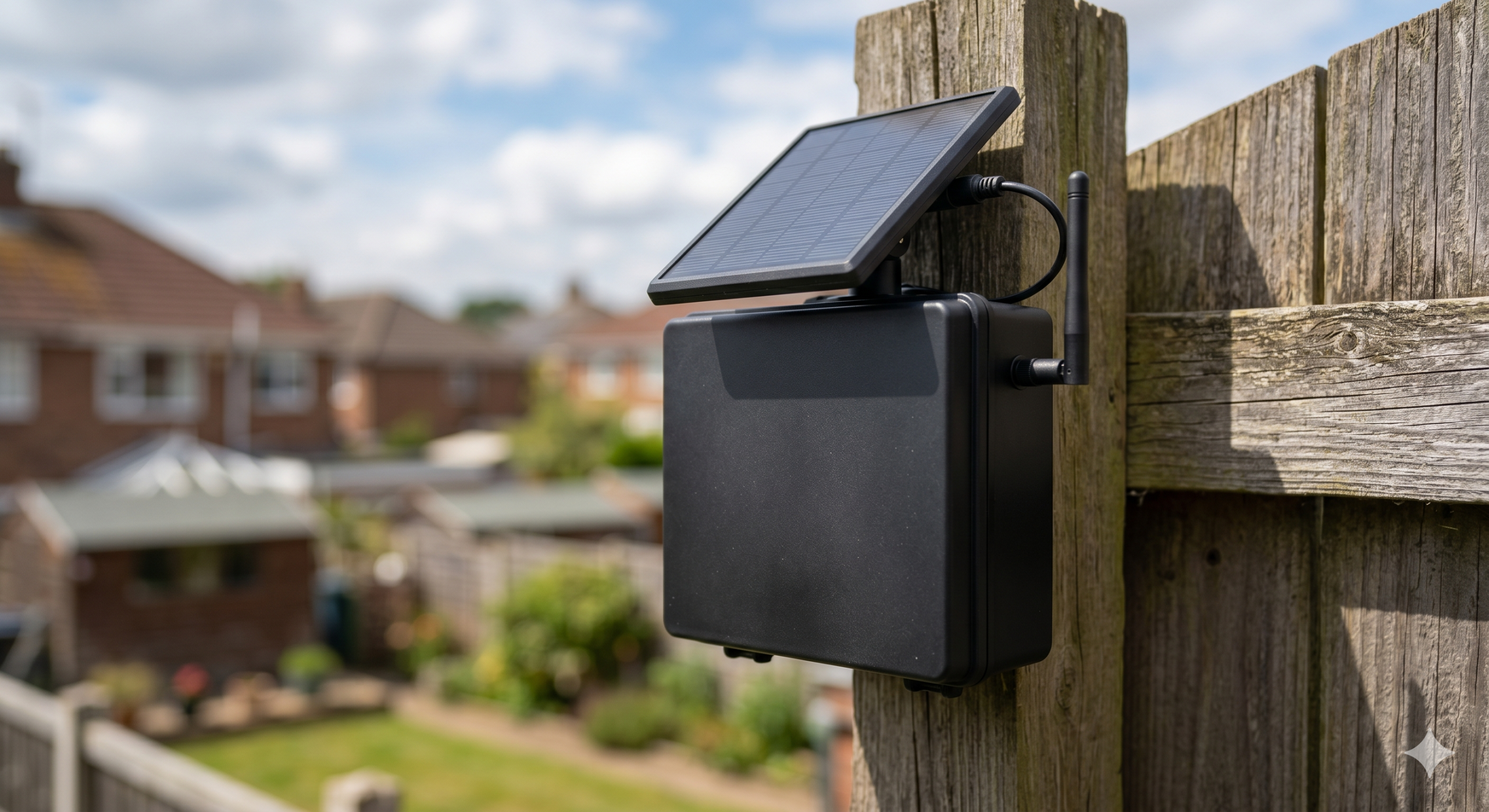
- Repeaters — fixed infrastructure nodes placed on rooftops, hilltops, or towers. These are what move messages across distance.
The result is a faster, quieter network — but one that requires planning. Two companions out of direct range can’t talk without a repeater between them. With Meshtastic, two devices in the woods will find each other automatically. With MeshCore, you need infrastructure in place first.
| Feature | Meshtastic | MeshCore |
|---|---|---|
| Max hops | 7 | 64 |
| Who relays? | Every device (by default) | Dedicated repeaters only |
| Self-organizing? | Yes — plug and play | No — repeaters must be planned |
| Network feel | Slightly chattier | Faster, less congested |
| Delivery confirmation | Basic checkmark indicator | Detailed retry feedback |
| ATAK support | Yes | No |
| Community size | Massive (80k+ Reddit) | Growing (late 2025 launch) |
| App maturity | Polished iOS & Android | Functional, still maturing |
| Best for | Hiking, events, ad-hoc groups | City/region backbone networks |
New to mesh networking? Start with Meshtastic. The community, documentation, and app ecosystem are years ahead, and you’ll be on the air in minutes.
Building infrastructure for a neighborhood or community network? MeshCore’s architecture is worth the extra setup complexity. The same hardware runs both — flash one, try the other, keep what works.
How Do You Actually Get Started?
This is the part that surprises most people: it’s genuinely straightforward. Here’s a simple path from zero to your first mesh message:
Option A: Easiest Possible Entry — $48
Buy the M5Stack Cardputer Mesh Kit. It ships pre-flashed with Meshtastic. Turn it on, download the Meshtastic app on your phone, pair via Bluetooth, set your region to US (915 MHz), and you’re done. You are now on the mesh.
Option B: Two-Node Starter Kit — Under $100
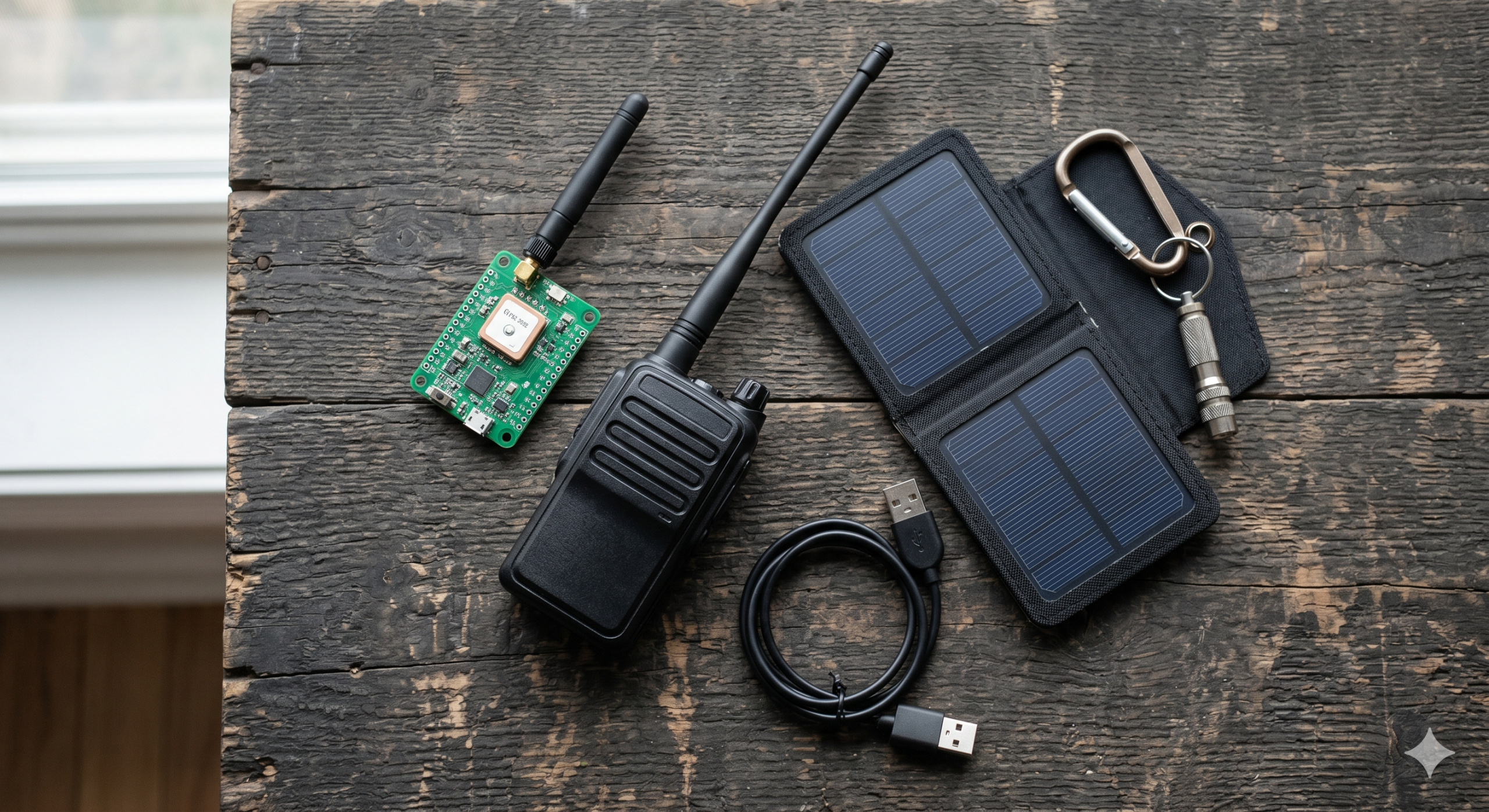
This is what most people do first — grab two nodes so you actually have someone to talk to. Some strong choices for budget starter nodes in 2026:
| Device | Price (approx.) | Why It’s Great |
|---|---|---|
| LILYGO T-Beam v1.2 | ~$35 | Built-in GPS and 18650 battery holder — the community favorite for good reason |
| Heltec LoRa 32 V3 | ~$20 | Tiny, cheap, great for stationary nodes. No GPS built-in but very capable |
| RAK WisBlock Meshtastic Kit | ~$45 | nRF52840 chipset = excellent battery life. Best choice for solar repeater builds |
| M5Stack Cardputer Mesh Kit | $48 | Standalone terminal with keyboard — no phone needed to operate |
Option C: The Ham Operator Upgrade Path
Already running a ham station? Meshtastic plays extremely well alongside traditional amateur radio operations. Use it for:
- APRS-style position tracking across your local mesh
- Digital text backup when voice nets are busy
- Bridging mesh messages to the internet via an MQTT gateway node at your base station
- Emergency comms data layer alongside your HF/VHF voice capabilities
Meshtastic operates in the 915 MHz ISM band in the US — no FCC license required to transmit. That said, if you are a licensed ham, you’re already building the communication mindset that makes mesh networking click faster than most. The concepts of repeaters, propagation, and network topology will feel very familiar.
Why This Matters Beyond the Hobby
It’s easy to frame Meshtastic as a cool gadget thing — and it is. But zoom out a little and the implications get more serious.
Cell tower infrastructure is fragile. Wildfires, hurricanes, and ice storms knock out coverage for days or weeks. Satellite internet (Starlink, etc.) is improving, but it’s expensive per device and depends on hardware that may not survive a disaster. Traditional ham radio is powerful but requires licensing, training, and equipment investment that keeps many people out.
Meshtastic sits in a sweet spot that doesn’t exist anywhere else: truly distributed, infrastructure-free, zero-cost-to-operate communication that anyone can set up in under 15 minutes.
Some municipalities are already exploring Meshtastic-based networks as disaster backup communication layers. Community groups are building neighborhood meshes. Search and rescue teams are evaluating it. When you put a node on your rooftop and join your local mesh, you’re not just playing with radio — you’re contributing to resilient infrastructure for your community.
🔔 Want More Offgrid Tech Content Like This?
We cover Meshtastic, ham radio, solar power, GMRS, go-bag gear, and everything else that keeps you connected when the grid doesn’t. Follow us across all our channels — new reviews, guides, and news drop regularly.
You Might Also Enjoy
- How to Get a GMRS License: Complete Step-by-Step Guide (2026 Update)
- Icom’s X-026: The Mobile Radio the Ham World Has Been Waiting For?
- Off-Grid Solar Power: A Beginner’s Guide
- Introducing PrepperPi: Your Offline Survival Library on a Raspberry Pi



Leave a Reply